Dev Log #8: I Built a 3D-to-2D Spritesheet Tool (Open Source)
One of the consistent pain points in my workflow has been bridging the gap between 3D assets and 2D games. I work in a retro/pixel aesthetic, but I don’t always want to hand-animate everything from scratch — sometimes you want a model, a camera angle, and a clean sprite sheet output. So I built that.
What It Does
It’s a browser-based tool for converting .glb files into 2D sprite sheet animations.
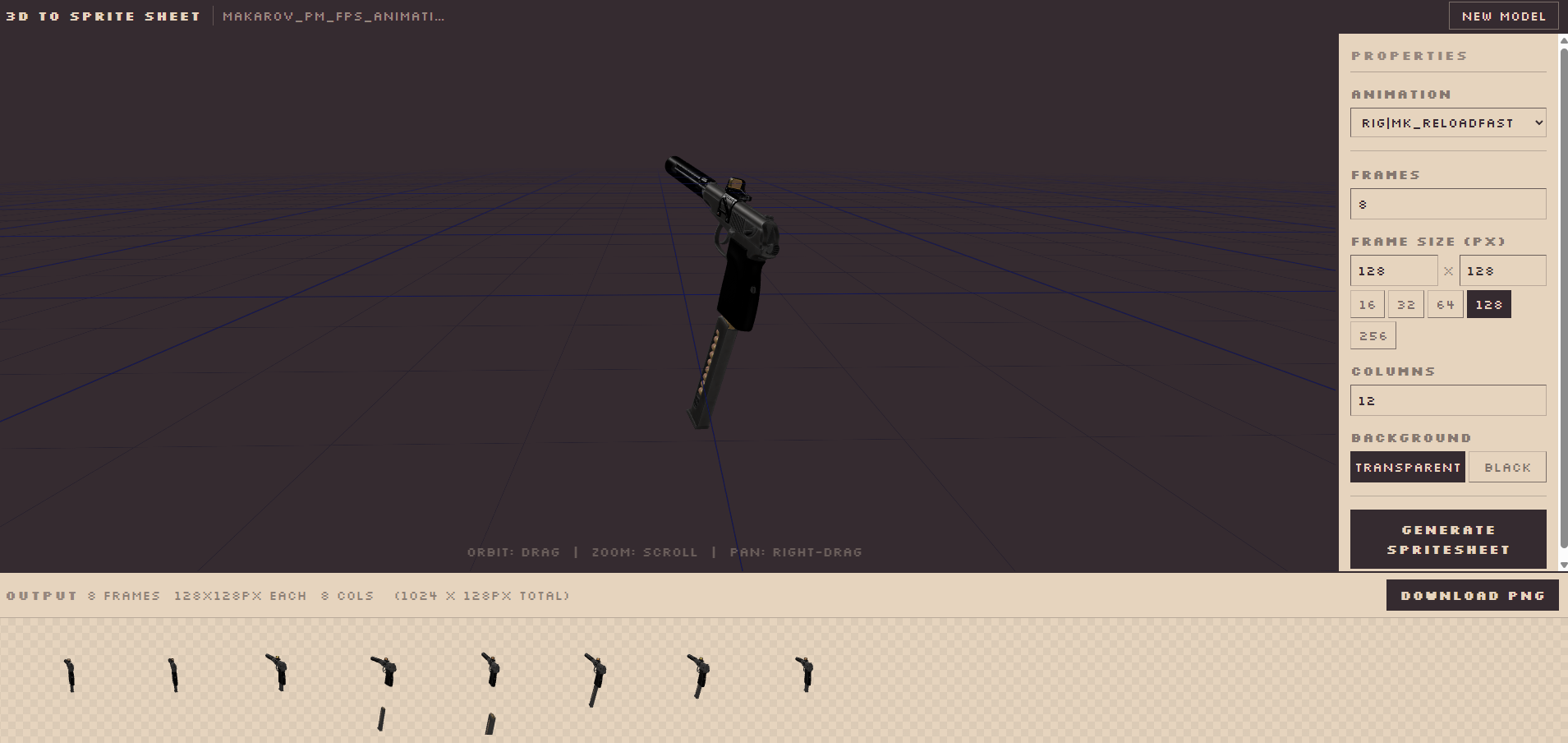
Drop a model in, position your camera, pick an animation clip, configure your output parameters, and download a PNG sprite sheet — frames sampled evenly across the animation, laid out in a grid, ready to drop straight into any 2D game engine.
No installs. No dependencies on your machine. It runs entirely in the browser.
How to Use It
- Drop a
.glbfile onto the viewer area (or click to browse) - Orbit the camera to the angle you want — drag to orbit, right-drag to pan, scroll to zoom
- Select an animation from the dropdown (populated automatically from the model)
- Set the number of frames, frame size in pixels, and column count for the grid layout
- Choose transparent or black background
- Click Generate Spritesheet and download the PNG
That’s it. The output is a standard sprite sheet grid you can slice in Godot, Unity, GameMaker, or anywhere else.
Why I Built It
I needed it for my own games at mangasmango.com. I was tired of exporting frames manually or relying on tools that required a specific pipeline I didn’t want to adopt.
The goal was something frictionless: give it a model, get a sprite sheet. Nothing more, nothing less.
It’s Open Source
The source is on GitHub if you want to look at it, fork it, or use it in your own pipeline:
github.com/ValisStamatis/3d-to-2d-spritesheet
Pull requests welcome. If it’s useful for you, let me know what you’re making.
See you in the next one,
— Stamatios